Welcome to Kognar Chat
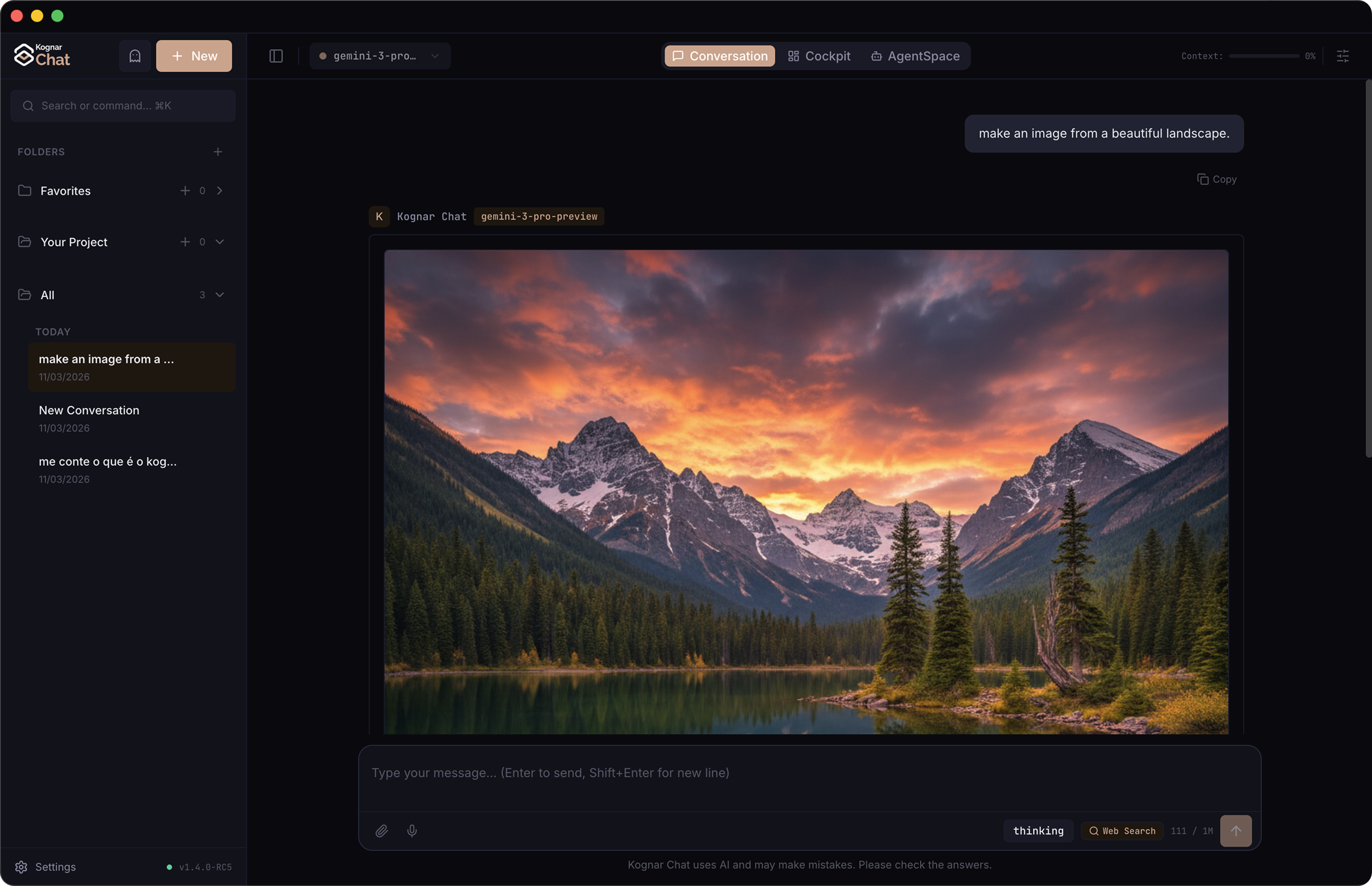
Kognar Chat is the desktop chat app of Kognar Platform. Talk to the world's best AI models, use agents and tools, keep work in projects, and pick up the same conversations on your phone.
This guide is for the Chat desktop app. Your Kognar account, plans and billing live on the platform; Chat is the place you converse.
Whether you're having a quick conversation, analyzing data, generating images, or writing code — Kognar Chat adapts to your workflow.
What you can do
Chat with the world's best AI models
Access models from OpenAI, Google, Anthropic, xAI, and more — all from one interface. Switch models between conversations, compare responses, and fine-tune behavior with custom rules.
Use intelligent agents and tools
Enable built-in agents — Web Search, Code Review, Writer, Quick Answer, Analyst, Comparison, Research and Computer Control — or connect your own tools via the Model Context Protocol (MCP). Manage all of it from the Power Tools panel next to the message box, and bind specific servers and rules to specific agents.
Organize your work
Keep conversations in projects, apply custom instructions per project, and let Global Memory learn your priorities over time — so Kognar Chat always has the right context.
Generate rich content
Ask for a chart, a sortable table, an interactive form, or live code previews — and Kognar Chat renders them directly in the conversation as interactive components.
Keep your phone in step
Pair the desktop app with the Kognar mobile app and your conversations, projects, MCP servers and rules follow you between devices through an encrypted cloud backup.
Part of Kognar Platform
Kognar Chat is a member of Kognar Platform, not a separate account system. Sign in with your Kognar account. Plans, usage and invoices are managed on the web; this app is the desktop chat client.
The splash screen's Part of mark next to the platform logo is that relationship in the product itself.
Getting started
- Download the app for macOS or Windows
- Create your account or sign in with Google, Microsoft, Apple or SSO
- Start your first conversation
- Explore features at your own pace
Need help?
If you run into any issues or have feedback, visit our support page or reach out via Help → About Kognar Chat inside the app.